


1. 使用git去管理工程项目
方便工程管理/修改/回溯
方便多人共同操作使用
方便寻找与移植
2. git与github
2.1 下载git
前往 https://git-scm.com/downloads 下载安装包,按提示安装即可。
安装完成后,在桌面右键选择 “Git Bash Here” 或者打开终端输入:
git --version如果看到类似输出说明安装成功:
git version 2.xx.x.windows.12.2 注册github
可以去上网搜搜
2.3 github创建工程
2.3.1 在github的右上角加号的地方选择 New repository创建新仓库
2.3.2 填写仓库信息,我们只要在那个Repository name下面填写上我们的仓库名即可
名字不要用中文
2.3.3 划到下面点击Create repository创建仓库
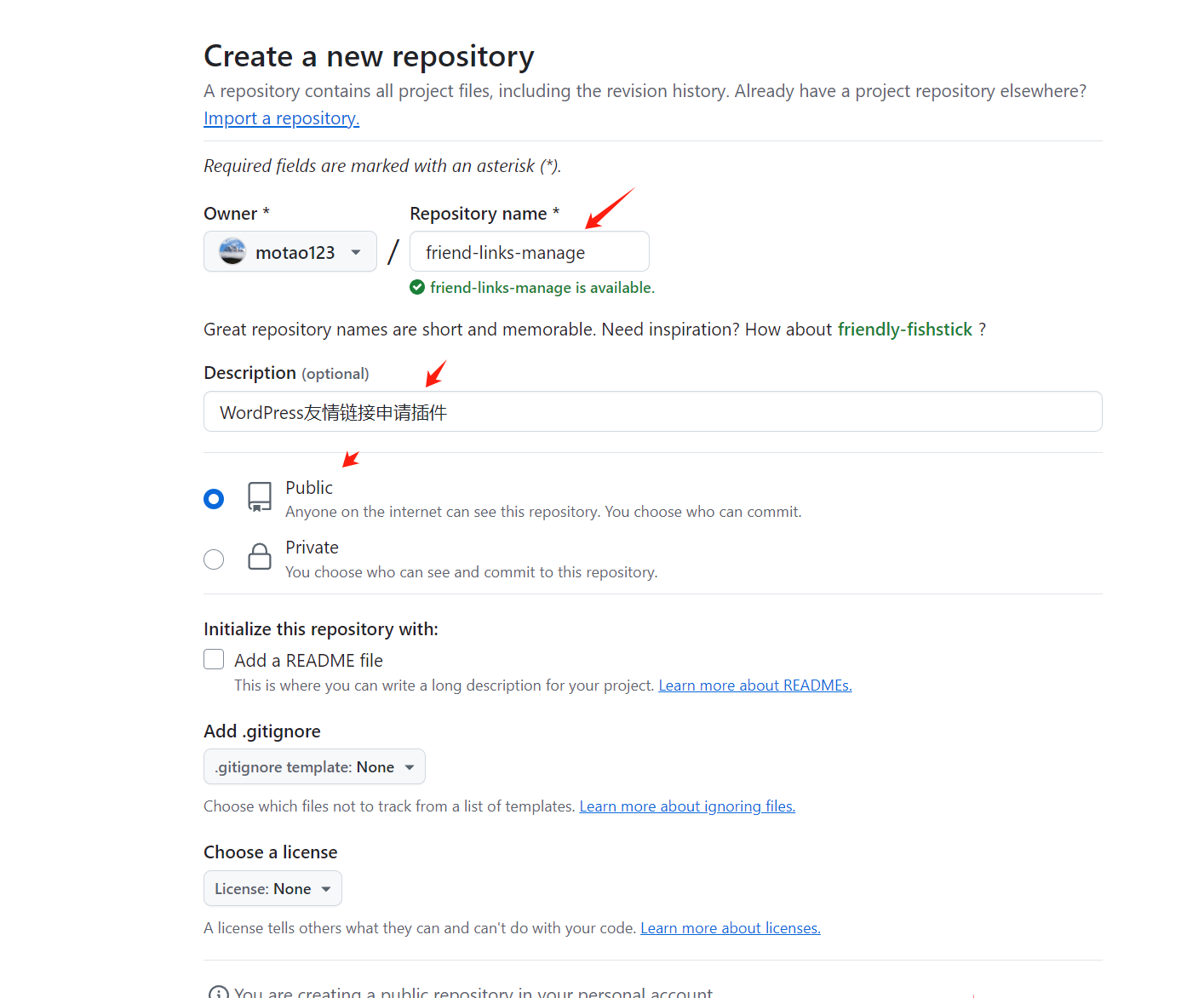
2.3.4 远程仓库创建成功
2.3.5 远程仓库创建成功
3. 创建本地git
不废话直接在git bash上输入几串命令行代码
git init

git config --global core.autocrlf input

git add .

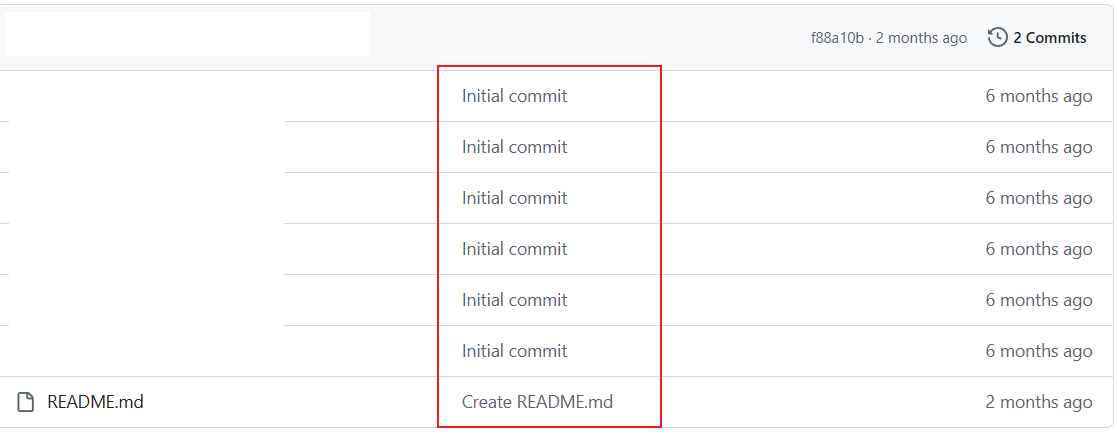
git commit -m "写你的项目描述"
描述效果如下图
4. 本地git上传github
4.1 先获取你GitHub上面创建的HTTPS
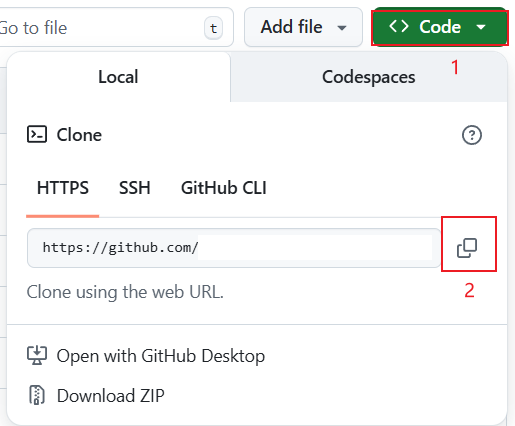
4.2 加载远端HTTPS
git remote add origin 你的HTTPS4.3 上传本地git
git branch -M main

git push -u origin main
main:主支,可以换成其他分支的名字
4.4 一些特殊报错
4.4.1 先拉后推问题
报错:
$ git push -u origin main
To https://github.com/Epiphany-Leave/Innovation-and-Entrepreneurship-Competition.git
 ! [rejected]        main -> main (fetch first)
error: failed to push some refs to 'https://github.com/Epiphany-Leave/Innovation-and-Entrepreneurship-Competition.git'
hint: Updates were rejected because the remote contains work that you do not
hint: have locally. This is usually caused by another repository pushing to
hint: the same ref. If you want to integrate the remote changes, use
hint: 'git pull' before pushing again.
hint: See the 'Note about fast-forwards' in 'git push --help' for details.
这是典型的 non-fast-forward(先拉后推)。远程 main 有你本地没有的提交(常见:GitHub 上勾了 Initialize with README
# 1) 取回远程
git fetch origin

# 2) 把本地 main 接到远程 main 之后(历史更干净)
git checkout main
git pull --rebase origin main    # 等价于:git rebase origin/main

# 如出现冲突:编辑解决 -> 保存
git add <有冲突的文件>
git rebase --continue            # 重复直到结束;放弃可用:git rebase --abort

# 3) 推送
git push -u origin main
4.4.2 干净的仓库
报错:
$ git commit -m "描述"
On branch main nothing to commit, working tree clean
表示 你的仓库一切干净 ——所有文件都已经被提交过,没有新的改动需要再提交。
所以,当前状态下要推送到 GitHub,直接执行:
git push -u origin main5. 常用指令
6. 官方网站
github官方网站:Codespaces documentation - GitHub Docs